Maths Bookmarks #2

Context

As of June 26th July 5th July 11th July 13th, 2021 2022, the COVID-19 situation in NSW continues to worsen.

In the meantime, whilst many of us are stuck at home, here is the remainder of my mathematics-related bookmarks (all 100-ish of them, with supplementary materials to accompany most of them). If you have not already seen my earlier post, consider checking out my first 50 mathematics bookmarks, which included popular mathematics education websites, teacher blogs, and teaching resources.

Next time (whenever that might be – maybe NSW’s lockdown will be prolonged until the end of 2021?), I will continue to update my Science Lab pages with my remaining science-related bookmarks and ideas, and I’ll also post a summary of those additions as a future blog post.

Websites Worth Checking

Some of the following bookmarks are directly related to mathematics education. However, a good majority of them will require some creative usage on your part, either as a tool to be used by yourself or the students, or as stimulus for class-based analysis and discussion. Consider also browsing them for your own personal interest and enjoyment as well. Happy browsing!

Teacher Blogs, Websites, and Videos

  1. Median: UK-based Mathematics blog that hosts many quality educational resources and presentations. Unfortunately, Median is now inactive as of October 10th, 2020 due to the passing of its author, Don Steward. Rest in peace.
  2. Resourceaholic: Another UK-based blog with many resources for teaching secondary school mathematics. Jo Morgan also regularly posts 5 Maths Gems, where she highlights 5 ideas or resources for teaching mathematics, sourced from Twitter.
  3. Maths: More UK-based mathematics materials, published by Mark Willis. On his Notion webpage, you will find a directory to many of Mark’s videos, covering mathematics concepts from a junior level, all the way to A-Level (Senior). Very handily, many of his videos are also accompanied with GeoGebra applets and workbooks. For instance, check out his workbook for Statistics and Mechanics (test them first before using them in the classroom).
  4. Dr Frost Maths: Free mathematics teaching resources and videos produced by Dr Jamie Frost, from the UK. You may also find his whiteboard tool useful during remote-learning sessions (it has basic functionality, plus a maths equation editor – alternatively, GeoGebra Notes is very robust). If you are not from the UK, you will likely not be able to receive teacher-level access, but the resources available to students might still be of use or interest.
  5. Howard Mathematics: Howard is a secondary mathematics teacher based at Cowra High School in NSW. On his website, you will find his textbook and 1000 revision questions for Mathematics Extension 2. He also provides online professional development courses for both Mathematics Extension 1 and 2, with another course for Mathematics Advanced to be made available soon.
  6. Math Professor Quotes: (Mostly) out-of-context quotes from STEM professors. It might be a fun idea to encourage your students to ‘submit’ mathematics-related quotes to a class version (e.g. on Google Classroom), whether from yourself or their peers during a lesson, or from people they’ve heard or seen in popular media, books, games, or the news.
  7. Exzuberant: An inactive mathematics education blog from Nordin Zuber. Whilst the blog is no longer being actively updated as of 2019, you can still check out his GeoGebra HowTo guide, as well as his many presentations and resources.
  8. Math Mistakes: A blog dedicated to documenting the many mistakes students make doing mathematics, and identifying the assumptions that were made, so that they can be corrected. With students’ consent, consider collecting samples of incorrect working and recreating them so that your class can review them, identify the error, and suggest (and justify) corrections.
  9. Thinking Mathematics: James Tanton’s mathematics website. My first introduction to James Tanton was his video regarding concerns about the Area Model for multiplication – he has many other videos covering several mathematics topics, which are also available on his YouTube channel. Consider also checking out other websites that he is associated with: G’Day Math!, Global Math Project, and Exploding Dots.
  10. Artful Maths: Want to explore the aesthetically-pleasing side of mathematics? Consider introducing origami into your classroom. Also, take some time to explore some ideas for mathematical art lessons, courtesy of Clarissa.
Photo by Miguel u00c1. Padriu00f1u00e1n on Pexels.com
  1. Z Statistics: “A educational resource for University students and analysts of any stripe.” Of particular interest are Justin’s videos about Descriptive Statistics and Probability Distributions, all of which are also available on his YouTube channel. If you are interested, Justin continues to semi-regularly release new videos, most recently about Health Stats and Survival Analysis.
  2. Maths Videos Australia: Educational mathematics videos created by Joel Speranza – the videos are mapped to curriculum from different Australian states and territories (except New South Wales).
  3. WooTube: Eddie Woo’s website for his mathematics videos (also available on his YouTube channel) and worksheets. If you want to introduce some novelty or enrichment for your students, I would particularly recommend browsing through his Mathematical Exploration playlist on YouTube for interesting topics (consider also checking through your old university mathematics notes too if you still have them lying around, or subscribing to your university’s mathematics society).

Next Page: ‘Recreational’ Mathematics
Maths Bookmarks

Context

It’s been a while since I’ve last published a blog post. This is partly because I have instead been updating the website (see: Maths Closet and Science Lab). I’ve also stalled in terms of completing all the draft posts I wrote last year. For now though, Sydney is back in another COVID-19 lockdown, just in time for my holiday break from university.


What will I be doing this month?

Over the last few years whilst studying to become a teacher, I’ve developed a backlog of random internet bookmarks for Mathematics and Science resources, as well as for more general tools that might be useful for teachers. As I continue to develop the website, I will also periodically take some time to share some of my bookmarks (today: for mathematics resources I thought might be interesting or useful – mostly interesting).


Websites you should regularly check

Not much explanation needs to be given for the following websites – these websites contain a multitude of resources worth perusing for ideas, activities or worksheets. Consider this section as a reminder that these places exist and that you should consider regularly checking them out for updates:

  1. NRICH (University of Cambridge)
  2. Maths300 (recently updated, maintained by the AAMT – also consider visiting Top Drawer and the Task Centre Kit for Aboriginal Students)
  3. youcubed (Jo Boaler)
  4. dy/dan (Dan Meyer) and Three-Act Math Tasks
  5. Illuminations (maintained by the NCTM)
  6. MANSW (Mathematical Association of NSW)
  7. MathsLinks (resources) and MathsKit (templates)
  8. mr barton maths
  9. Estimation 180 (Andrew Stadel)
  10. Which One Doesn’t Belong
  11. Australian Maths Trust
  12. Better Explained
  13. nzmaths
  14. The Mathenaeum
  15. Inquiry Maths (Andrew Blair)
  16. Mathigon
  17. Australian Bureau of Statistics
  18. Scootle
  19. Robert Kaplinsky
  20. National Library of Virtual Manipulatives (Interactive materials)
  21. Geogebra Materials (and Desmos for Teachers)
  22. Australian Mathematical Sciences Institute
  23. Wolfram Demonstrations Project (Interactive Wolfram notebooks)
  24. Project Euler (Mathematics problems)
  25. Chalkdust Magazine (Magazine for those interested in Mathematics)

Websites of Particular Interest

  1. Math Open Reference: From the author, the Math Open Reference Project is “A free interactive math textbook on the web. Initially covering high-school geometry.” The website hosts various interactive tools and animations that may prove helpful in terms of providing students with visual references that they can manipulate and experiment with (example: check out their applet about Interior Angles of a Traversal).
  2. What’s Special About This Number?: A catalogue of interesting facts of (most) numbers from 0 to 9999. Primarily for novelty – consider having a number of the day and discussing the fact listed (alternatively, challenge students to come up with their own).
  3. Googolplex Written Out: 1094 volumes of books that together write out the entirety of the number googolplex 10googol (available in pdf form).
  4. Number Constellations: An interactive tool for exploring prime spirals (see: Ulam spiral for further details).
  5. Maths and Science Animations: Mathematical animations produced by Matthen (see: Visual proof that the sum of the negative powers of 4 = 1/3).
  6. Cut the Knot: A vast collection of problems, games, puzzles and information about various mathematical subjects, including algebra, geometry and probability (example: Monty Hall Dilemma). If you do not mind installing Java (or if you have experience using GeoGebra), consider also browsing these interactive activities. Rest in peace, Alexander Bogomolny.
  7. Image: A visual proof of the expansion of (a + b)n for n = 1 to 4. A similar image for proving that the sum of the negative powers of 2 equals 1 (using triangles).
  8. Algebra Rules: A concise summary of basic algebraic rules, with accompanying descriptions and examples.
  9. Image: A diagram that shows the relationship between SI base units and SI derived units with special names and symbols.
  10. Turner’s Graph of the Week: Weekly graphs that challenge students to critically analyse graphs – consider finding your own graphs or infographics (e.g. from recent news articles, see: The Guardian’s Data section or ABC News Story Lab), and use the format provided by Turner to scaffold students’ analysis of them.
  11. GapMinder: Challenge students’ preconceptions about the world whilst also exploring data and percentages. Consider also viewing Dollar Street, a website showcasing the everyday lives of people across many income levels.
  12. MacTutor: A website hosting thousands of biographies, essays and materials related to mathematics.
  13. Earliest Uses of Various Mathematical Symbols: Consider browsing through here in case your students are interested in the origins of certain mathematical symbols (e.g. why the natural logarithm is notated as ln). Also consider browsing Jeff’s websites regarding Mathematical Words and Ambiguous Mathematical Terms.
  14. Maths Inside: Developed by the University of Technology Sydney, the website hosts many resources and lessons based around actual CSIRO projects (example: Stargazing with the SKA).
  15. Nepal Constitution: Included is a set of (geometric) instructions for constructing the Nepalese flag. For a demonstration, consider watching Numberphile’s video, ‘The Most Mathematical Flag‘.
  16. Phase Plane Plotter: Tool for producing plots of systems of differential equations.
  17. Formulator Tarsia: Tool for creating Tarsia puzzles. Consider also giving students KenKen, Futoshiki or Fubuki puzzles.
  18. Byrne’s Euclid: A colourised version of Euclid’s Elements, based on Oliver Byrne’s (1847) series of books.
  19. STEM Lessons for Educators: Space-related activities and lessons developed by NASA’s Jet Propulsion Laboratory (example: How Far Away Is Space?).
  20. Against All Odds – Inside Statistics: Television series (each episode ~10 min in length) focusing on concepts from statistics, such as Standard Deviation, Correlation, and Random Variables.
  21. Explorables: A collection of mathematical games and interactive activities – I particularly liked their Graph Theory and Seeing Theory (Probability) interactives. They are user-friendly and fun to experiment with.
  22. Eratosthenes Experiment: Annual event (22 March) that schools can participate in – following Eratosthenes, the goal for students is to calculate the circumference of the Earth.
  23. Academo: “A collection of interactive, educational demos and tools” – try out the ‘Estimating Pi using the Monte Carlo Method‘ interactive, as well as the ‘Statistics of Rolling Dice‘ demonstration. Interactives for Engineering, Geography, Music and Physics are also available.
  24. We Use Maths: Developed by the Dublin Institute for Advanced Studies, the website aims to highlight the many examples of careers where mathematics is embedded and actively applied in meaningful ways. Biographies of individuals from particular industries are available for reading.
  25. Choose Your Own Statistics: Website resource developed by the ABC that allows users to either download Big Picture infographics (e.g. for topics such as Life Expectancy and Weekly Wages), or alternatively, to select particular data and download the resulting graph for use as an image.

Revision Logs


Context

For the past few weeks, I have hosted revision sessions then, afterwards, typed up a brief set of notes detailing what was covered during the sessions.

My intention for this post is to collect the notes (Revision Logs) that I have written up so far (and possibly more in the future).


Acknowledgements

My notes have been informed by the following resources:

  • Mathematics Standard, Advanced, Extension 1 & 2 Syllabuses from NESA
  • Chemistry & Physics Syllabuses from NESA
  • Maths in Focus Mathematics Extension 1 Preliminary (& HSC) Course by Margaret Grove
  • CambridgeMATHS Mathematics Standard 2 Year 12 by Greg Powers
  • Introduction to Graph Theory (USYD Lecture Notes) by Anthony Henderson
  • Real and Complex Analysis (USYD Lecture Notes) by Daniel Daners

Revision Logs


Resources for Financial Mathematics

To keep this intro bit short, I was generally impressed by the online (and physical) resources that were curated by the Financial Mathematics Unit of Study (UoS) websites.

A refresher for how these Resources For posts works: under each heading (e.g. Stage 4), I list some of the resources that were featured from the particular UoS website, as well as add some comments and personal observations. Note that these resources may still be useful in other stages, sub-strands, or just in general as a teaching tool.


Stage 4

Mentimeter (Host)/Menti (Audience)

  • Used in this UoS to poll students’ initial understanding of percentages.
  • Note: Mentimeter requires students to have access to laptops or their mobile devices to submit responses (as well as a screen or projector to display students’ responses).
  • Outside of polling, I have also used Mentimeter (and similar online tools, see below) for quizzing students on content.
    • In theory, if you had students conducting presentations, you could encourage or mandate them to include a short quiz at the end of their presentation in order to test how much the class was able to learn.
  • Make sure to supplement each question with time for students to discuss the reasoning behind their responses (this works well if there are conflicting answers).

Similar: AhaSlides, Socrative, Poll Everywhere, DirectPoll

Everyday Items

  • Catalogues – this particular UoS suggested using physical JB Hi-Fi catalogues; it’s a great idea to give students experience with navigating actual catalogues and performing discount calculations.
    • I would go a step further and also demonstrate to students how to navigate online catalogues and shopping websites (particularly, how to quickly compare prices across different stores, discounts included).
    • See here for direct links to shopping comparison websites you could get students to browse either at school or home. Also featured on that link is a homework task about ticket pricing that I think you should consider.
  • Grocery Receipts – the main purpose of using these would be to give students experience with locating the total cost and the GST included.
    • It may be useful to hide the GST included and allow students to perform the calculation themselves (using the total cost of taxable items marked on the receipts with % or * symbols).

Dueling Discounts by Dan Meyer

  • This resource is an example of one of Dan Meyer’s ‘Three-Act Maths‘ activities (it should be noted that Dueling Discounts only has two acts, but many examples to work with).
  • Students are asked to argue if and when they should use either ‘$x off’ or ‘y% off’ coupons.
    • I would encourage you to take photos/video of yourself shopping for items and giving students the time to discuss amongst themselves/as a class which voucher they think would work best. Get students to also estimate the price of items before showing them the actual price.
    • It would also be interesting to get students to design their own vouchers (that they think are fair and aren’t just ‘get five items for free’).

Grocery Unit Prices by ACCC (Australian Competition & Consumer Commission)

  • Some general, useful information about unit pricing and the standard amounts used to define units of particular item types (e.g. those supplied by volume versus weight).
  • Also featured on the website is a list of exempted products (i.e. items that do not need to carry unit prices), as well as tips for using unit pricing when shopping.
  • Beyond Unit Pricing, I think the ACCC website (especially the Consumers section) is highly underrated and should be introduced to your students.
    • They should, at the very least, visit the website if they ever have consumer complaints, or need help with online shopping or choosing mobile phone plans. Students should also learn their consumer rights & guarantees. Warranties are especially tricky.

Stage 5.1

Job-searching Websites

  • This particular UoS features Seek – the intended purpose for its inclusion is to have students search for jobs and identify their “pay rates, penalty rates and award conditions”.
    • I’m not too sure you’ll be able to find all of this information using Seek. However, the website is useful for other purposes, such as researching different careers, then calculating yearly tax based on their salaries.
    • Students would almost definitely need a demonstration for how to navigate these kinds of websites before you set them any research tasks to complete independently.

Similar: CareerOne, Indeed, Jora

Tax Table & Simple Tax Calculator by ATO (Australian Taxation Office)

  • Tax Table – Resident tax rates can be found here (note that students will need to separately apply the 2% Medicare levy, on top of the tax paid on taxable income).
    • Older tax tables can be found here; it could be worth spending time discussing why these are regularly updated, as well as what taxes are generally used for.
  • Simple Tax Calculator – This tool allows students to determine how much tax they would have to pay for a certain taxable income amount.
    • Note that this also does not account for medicare levy. Working is also not shown, so the tool should only be used to confirm students’ own calculations.
    • To access the calculator, scroll to the bottom on the ATO page, or click here.

Modelling Compound Interest (Desmos) by MathsLinks & Compound Interest (GeoGebra) by shanlee

  • Modelling Compound Interest – graph that plots the amount earned against time (years) using the compound interest formula; P (principal) and r (interest rate) serve as free parameters.
    • Consider deriving the formula and plotting points before showing students the graph/equation on Desmos.
    • If you are looking for a collection of web-links to online mathematics resources for teachers, give MathsLinks some of your browsing time.
  • Compound Interest – animated table that demonstrates how $5000 is compounded over 5 years according to different time periods (showing yearly balances).
    • I would supplement this by getting students to also graph the results of the compounding.
    • Assuming your students do not know much about compound interest, it might also be interesting to get them to ‘bet’ on different accounts, e.g. an account with a high-ish interest rate that compounds annually versus other accounts with lower interest rates but compounds much more quickly.

Side Note: This UoS features many interesting ideas for activities, including one that involves history, studying primary & secondary sources and the ABS, as well as another activity involving Pinterest. I’d be curious to hear back from anyone who decides to give these a shot in the classroom.


Stage 5.2

Word Association: Compound Interest (Padlet) by Miss Gard

  • Padlet is a freemium* online bulletin board service where you can invite students to post text, images, videos, links to other websites, and document files. These are then shared and made visible to anyone who has the link to the bulletin board.
  • In this UoS, Padlet has been used as part of a vocabulary exercise; students add what they know about the terms ‘compound’, ‘interest’ & ‘compound interest’ under separate columns.
    • Another use for Padlet can include encouraging students to find and collect real-world examples of things discussed in Mathematics, such as shapes & solids, bank savings accounts, etc.
    • *If you want to use Padlet in the classroom, you’ll most likely need to consider whether the premium version is appropriate for you. Consider the alternatives below:

Similar: Dotstorming, Lino, Wakelet

Desmos Activities

  • Graphing Compound Interest – template, requires you to insert table data; students try their best to match a linear equation to compound interest data.
  • Graphing Compound Interest Example – same thing as above but with data inserted.
    • If the curve is not obvious, I suggest adding more data, or get students to match the linear equation to the first two points.
  • Graphing Compound Interest 2 – a more complicated graph of compound interest with three different equations; students select which best matches the compound interest data.
  • Who Wants To Be A Millionaire? (Code: sqmu5f)
    • Not quite sure how this is meant to work, but the ideas are worth taking a look at. Consider remaking this yourself in Desmos.
  • Straight-line Depreciation Worksheet – graphing activity to model depreciation using a linear function; it also has accompanying questions.
    • This would probably work better as a Desmos classroom activity.
  • Car Declining Balance – Blank – depreciation model (of the decreasing value of a car years after its purchase).
    • Using the graph given, I find it easiest to insert y values into the blank table after first inserting vertical lines (x = 0 to 5). This allows you to select the points of intersection between the vertical lines and the function.
    • This pre-prepared activity also showcases the regression model feature available on Desmos. Learn more here.
  • Simple vs Compound Interest – graphing model that does a fantastic job of demonstrating the difference between simple and compound interest growth.
    • The activity also gives you the option to change the principal amount and the interest rate per time period parameters.
    • Each of the activity features are accompanied with helpful comments that are worth reading to better understand the relevant parameters.

Google Sheets

  • Generating Compound Interest Formula – pre-prepared tables that demonstrate how principal amounts grow over 12 years through simple or compound interest
    • The second sheet demonstrates how the simple and compound interests can be derived via a table.
  • Monthly vs Yearly Compound Interest – this is similarly formatted to the Google Sheet above; it provides an example of the difference between yearly and monthly-based compound interest (over a 12-year period).
    • To best demonstrate this effect to students, I would recommend showing them the accompanying graphs. On the tens of thousands scale, the differences between the two amounts are slight but can be easily seen, advantaging the monthly compounding.
  • Depreciation – this sheet provides example data to demonstrate how compounding depreciation and straight-line depreciation works over a long time period.
    • The second sheet also provides example data for yearly vs monthly compounding depreciation, and similar looking graphs to the sheet above.

High Rollers Game

  • Dice-rolling game (requires a d20, d12, d4 and a percentile die; if you don’t have these available, see Roll The Dice, or use Google’s Roll Dice tool).
  • Each die is used to roll a certain parameter; e.g. the d12 is used to determine the interest rate (as a % per annum).
  • After rolling and computing the interest earned, students have the option to change the value of any of the parameters;
    • With this, students are able to experiment with changing the values and identify/explain which has the greatest impact on the final interest earned.

Paper Folding (Exponentials) by Riehlt/MathWeCanUse

  • I’d recommend reading the blog post for further details; it’s about paper folding and how it connects to exponential growth (check this MythBusters clip for background information).
  • Available on the post is a Desmos Classroom Activity, as well as some other activity/project files the author has developed.

Game of Life (Simulation)

  • Note: Not to be confused with Conway’s Game of Life or the Hasbro board game The Game of Life (one of these are iconic; the other is a slightly more complicated Candy Land).
  • This activity should be done in conjunction with the Investment Plan Research resources (but you could also prepare example interest rates if students do not have access to the Internet or computer/mobile devices).
  • The blue cards represent the principal amount students invest, while the green cards represent the time period students invest their money for.
  • After deciding on some life commitments (e.g. purchasing a car) and waiting a 5 year period, students take a red card. These represent different financial scenarios or events. With these new changes, students need to reassess their financial situations, particularly in regards to the commitments they made prior to receiving the red cards.
    • Overall, this seems like a fun activity to get students thinking about how they should plan and invest for their future as working adults.

That’s all for the Financial Mathematics sub-strand. My next Resource For post will be about the Ratio & Rates sub-strand. Before that though, I will also be throwing up a post for a new series, as well as starting some drafts for other topics.


‘Educational’ Youtube Channels (Pt. 2)

This is a continuation of my list of educational* Youtube channels that I have enjoyed over the last decade. If you haven’t seen Part 1, click here.

*Note: The actual educational value of these videos are disputable. I don’t think you should use most (if any) of these videos to teach students (nor should it replace you as a teacher), but I think they’re entertaining and have the potential to inspire curiosity in your students and encourage them to explore subject areas, regardless of the practicality of what is being presented.


Other Channels

3Blue1Brown/Grant Sanderson (Mathematics)

Adam Ragusea (Cooking & Food Science)

Featured: How Cameras and Light LIE About Food

America’s Test Kitchen (Cooking & Food Science)

Featured: Playlist of ‘What’s Eating Dan? with Dan Souza’ videos

Applied Science/Ben Krasnow (Science)

Featured: A close look at supercritical carbon dioxide CO2

BazBattles (Battle Tactics)

Featured: Playlist of ‘Battles in chronological order’ videos

Ben Eater (Computing)

Featured: The world’s worst video card?
BONUS: Ben, Ben & Blue (Mathematics & Education Podcast)

Binging With Babish/Andrew Rea (Cooking)

Featured: Ratatouille (Confit Byaldi) from Ratatouille

BlackPenRedPen (Mathematics)

Featured: 100 Integrals (world record?)

Bon Appétit (Cooking)

Featured: Playlist of ‘Gourmet Makes’

CGPGrey (History, Geography, Technology & Voting Systems)

Featured: The Simple Solution to Traffic
BONUS 1: CGPGrey 2 (Random)
BONUS 2: Hello Internet (Entertainment)
BONUS 3: Cortex Podcast (Productivity)

‘Educational’ Youtube Channels (Pt. 1)

I’ll be using this and my next post to share a (large-ish) list of educational* Youtube channels that I’ve come to enjoy watching over the last decade, or otherwise found interesting.

*Note: The actual educational value of these videos are disputable. I don’t think you should use most (if any) of these videos to teach students (nor should it replace you as a teacher), but I think they’re entertaining and have the potential to inspire curiosity in your students and encourage them to explore subject areas, regardless of the practicality of what is being presented.


Brady Haran Channels

Numberphile (Mathematics)

Featured: Equally sharing a cake between three people (with Hannah Fry)
BONUS: Numberphile 2 (extra footage from main channel + Numberphile Podcast)

Periodic Videos/Periodic Table of Videos (Chemistry)

Featured: Playlist of videos for each element of the periodic table (up to 118)

Sixty Symbols (Physics)

Featured: E=mc^2 is wrong?
BONUS: Nottingham Science/Test Tube (extra footage from Periodic Videos & Sixty Symbols)

Objectivity (Science Artifacts)

Featured: The Man Who Loved Circles

Deep Sky Videos (Astronomy)

Featured: Why are stars spiky?

Computerphile (Computing)

Featured: The Problem with Time & Timezones (with Tom Scott)

Bonus Channels [Inactive]


Casual Update #1

Rather than writing individual posts for each of the sections below, I have decided to cram them all into one big update post about what I have been working on since my last post.


Overture

So it has definitely been a while since I last posted anything on this blog (just over a fortnight). I figured, rather than abandoning this blog after only one week of posting, I will give a (hopefully not too long) update about what I have been doing during my hiatus from blog-writing.


Pre-Hiatus: Can Calculus Cure Cancer? (Sydney Ideas)

To start off, this happened a month before I started STEM Vault, so this really doesn’t count as being part of what I did during my break. But if I don’t write about it now, it’s (probably) never going to happen ever.

On November 12, I visited the University of Sydney to watch Can Calculus Cure Cancer?, a Sydney Ideas talk presented by Professor Helen Byrne from the University of Oxford, and Professor Jennifer Byrne, the Head of the Children’s Cancer Research Unit at Westmead.

If you would like to listen to the talk, use the Soundcloud widget below.

Some personal highlights from the talk:

  • The main take-away message I got from the talk was that mathematical modelling can be used to improve clinical outcomes for patients with cancer.
  • For example, mathematical modelling of brain tumour cell growth and movement can be used to give doctors suggestions for where they might find tumour cells (that are otherwise missed by MRI scans). Modelling has also helped scientists refine how treatment is administered to patients.

I would strongly suggest giving the talk a listen if you want to learn more about how Mathematics, Science and Medicine intersect in interesting and important ways.

Beyond the main topic, I would also like to draw your attention to two additional things from the talk:

  1. Our World in Data was featured early in the talk. To summarise, data about worldly issues (such as CO2 and other greenhouse gas emissions, smoking and plastic pollution) are visualised, explained and made accessible to the general public. Overall, it is an excellent resource to browse through for statistics that are worth analysing and having discussions about.
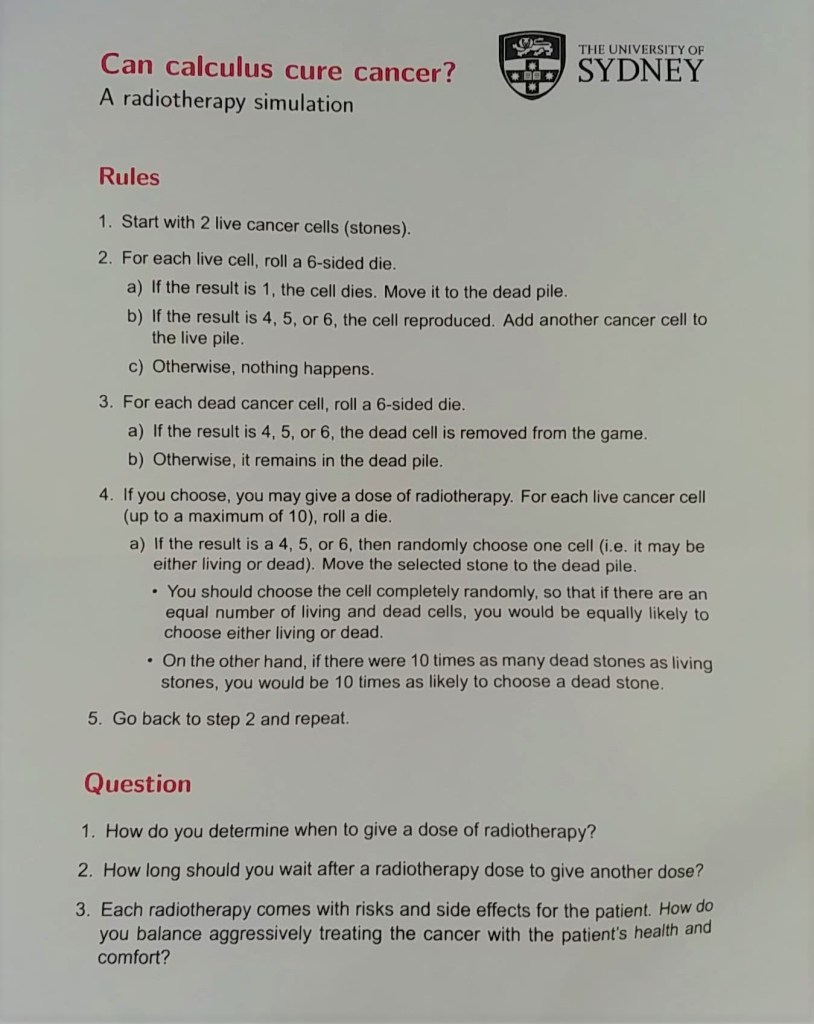
  2. The radiotherapy simulation game (see picture below) is a simple activity that encourages the player to consider when it is most optimal to give doses of radiotherapy to patients.
    • Note that dead cancer cells do not vanish once they are dead; they take time to be processed and removed from the body.
    • Also, whilst not explicitly part of the game, a patient’s comfort and health are additional factors that should be taken into consideration when deciding when to give doses of radiotherapy.
Can Calculus Cure Cancer? A Radiotherapy Simulation (requires a 6-sided die)

December 11: Hunting for Concrete Materials

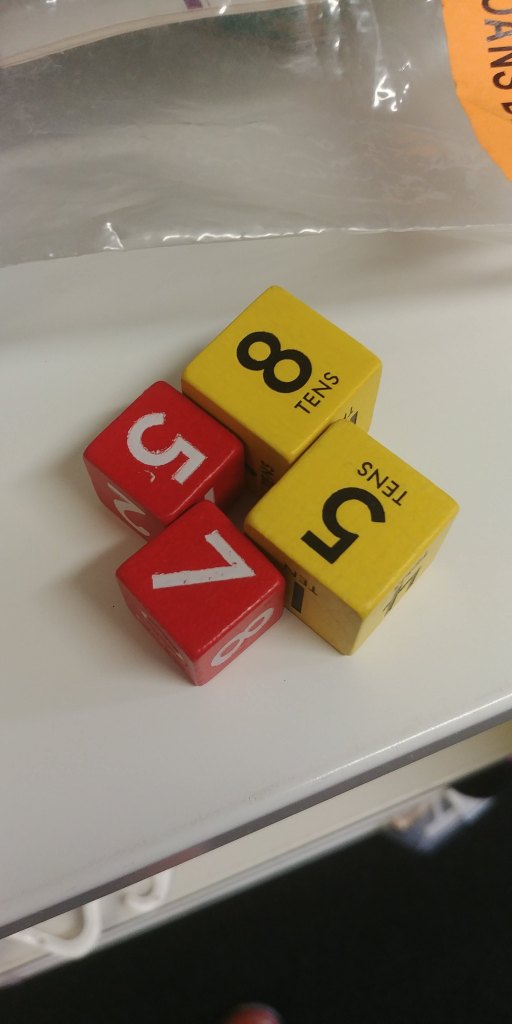
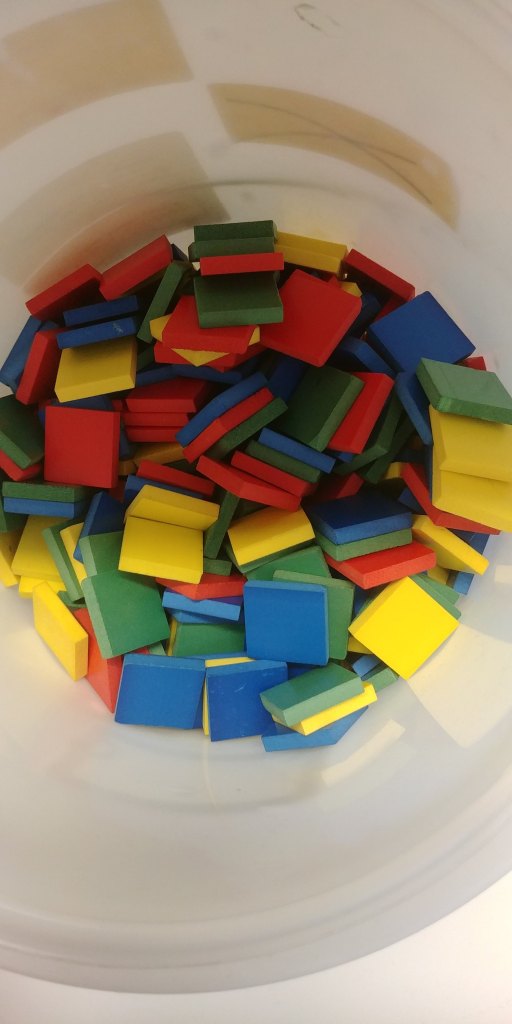
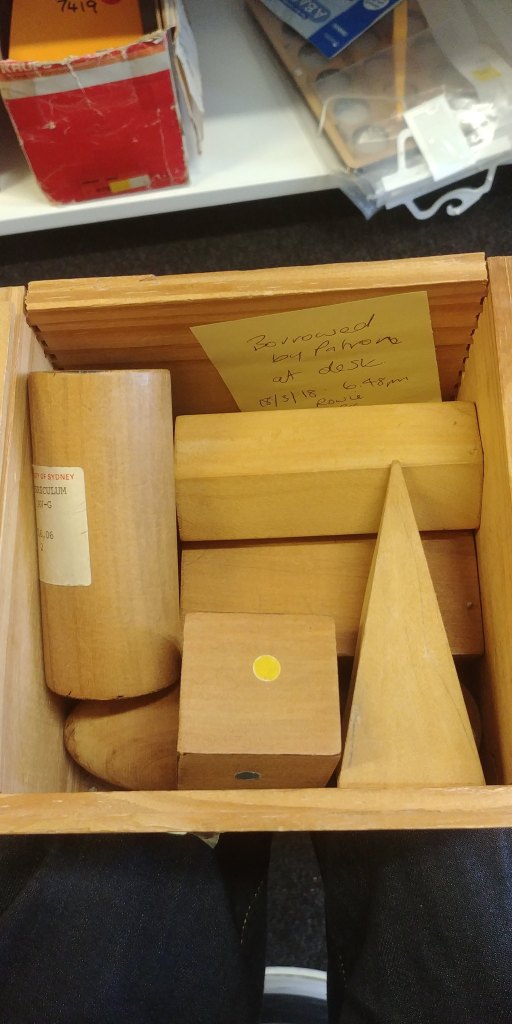
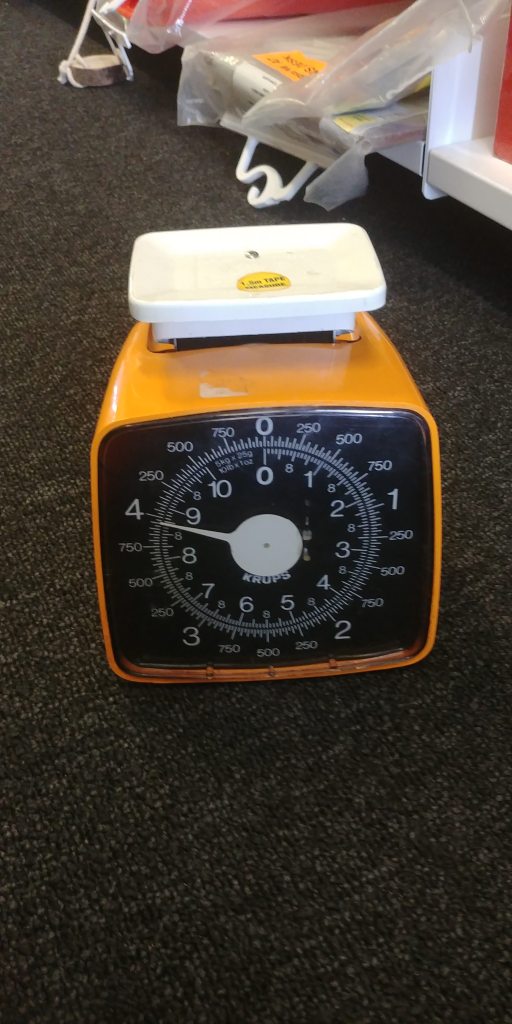
Before joining the Town Hall climate rally on December 11, I made a pit stop at the University of Sydney’s Fisher Library to search through their curriculum section for a couple hours. Of interest, they had a range of teaching aids that I think could be of use in the mathematics classroom:


December 13: Maths300 Workshop

A couple days later, I attended MANSW’s Maths300 Professional Learning Workshop in Auburn to learn more about how the lessons were originally designed, as well as to contribute suggestions for revising them in preparation for their re-release on the new upcoming Maths300 platform. The following lessons were discussed:

  • #186 Addo: bingo-style game involving basic addition
  • #22 Algebra Walk: kinaesthetic model for graphing linear (and quadratic) equations
  • #133 Angle Estimation: physical activity for recognising angles and estimating their size
  • #43 Area of a Circle: iterative approach for determining the radius of a circle given area
  • #44 Area of a Triangle: strategy for converting triangles into rectangles for the purpose of calculating area

For this blog post, I’ll focus on my thoughts on #43 Area of a Circle.

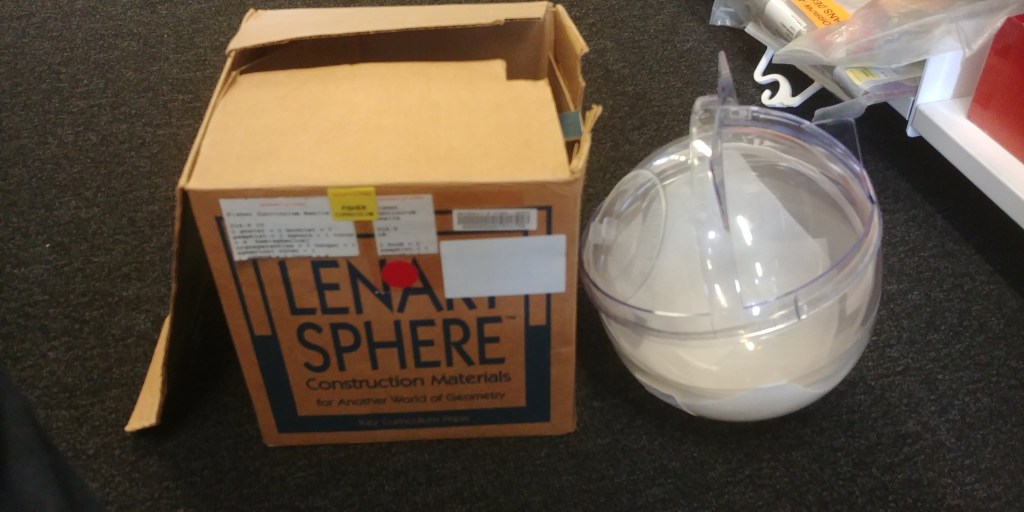
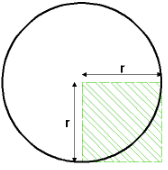
The original lesson proposes to students that in any given circle, you can fit approximately 3.14 squares (with side lengths equal to the circle’s radius) inside the circle. Note that this is not the key focus of the lesson, but is important for later determining the radius of a circle given its area (the equation is approximated to A = 3.14 x R x R).

Rather than taking this approximation for granted, I would instead suggest getting students to actually determine this by providing them a large circle cutout (or outline) and four squares (each preferably with a 10×10 grid pattern).

Instruct students to cut the squares up in such a way that they can then paste them within the circle boundary. What they should find is that they’ll be able to fit just over 3 squares. If they are given grid-paper squares, they can also more accurately determine how much of the 4th square they used to fill in the remaining space in the circle.

Outside of this, I think that the lesson overall works well to demonstrate that iterative processes are a valid alternative approach to algebraic solving. The trickiest part of the lesson is explaining what corner squares are (which can be done with a simple diagram).

Credit: Maths300

Speaking of problem-solving, below is a toolbox of problem-solving strategies. These were handed out during the workshop, but they’re also popular enough that they can be searched for on Google.

Note that it will not be enough to give this list of strategies to students and expect them to be great problem-solvers; these strategies need to be actively considered and modelled whenever you look at problems as a class.

Act it outMake a model
Work backwardsLook for a pattern
Solve a simpler problemDraw a diagram
Have I seen a similar problem?Break the diagram into manageable parts
Make a tableSeek an exception
Guess & CheckTest all possible combinations
Problem Solving Strategy Toolbox

To end off this section, I want to draw your attention to two other example activities that were demonstrated during the workshop:

Example Task: Sticky Notes + Data Representations

This activity required sticky notes and some tape. To summarise, participants were asked to select which cuisine they preferred the most. Four options were provided, each represented using different coloured sticky notes.

Participants were required to take one sticky note (matching their preferred cuisine), and stick it on the whiteboard. The sticky notes were arranged in columns and evenly stuck on top of one another. The end result resembled an upside-down column graph.

Each column can then be taken down from the whiteboard and (reinforced using sticky tape) connected to each other end-to-end (i.e. the end of one column was connected to the start of the next column). The last column was then connected to the start of the first column, creating a ring of sticky notes similar to a pie chart.

At this point, you can place the ring on some butchers paper and draw an outline of the ring, as well as additional lines to indicate the different sectors of the chart. If you scale the diagram (by extending the lines) and use a 100 bead string, you can also determine the (rough) percentages each sector represents.

Example Task: #163 Building Views (available on Maths300)

This activity required wooden cubes. To summarise, students are given the front and side view of a 4×4 building structure made out of cubes. Students use this information to create all of the possible buildings that could result in those front and side views.

Alternatively, students are given information about the top view (and the number of blocks stacked on one space) and are instructed to draw the front and side views. More details can be found on the Mathematics Task Centre website, as well as on Maths300.


December 12 to December 20: Project 1 – Foxes and Rabbits (ver. 1)

During my break from writing, I also worked on developing a game called Foxes and Rabbits, the rulebook for which can be downloaded below:

The premise of the game is inspired by predator-prey systems in nature. In short, Team Foxes are tasked with hunting enough rabbits to survive for 10 rounds, but not so many that they eliminate the entire population of rabbits. On the other hand, Team Rabbits are tasked with evading the foxes and ensuring the population survives for 10 rounds.

The game includes breeding mechanics (that need to be revised in later versions as the game is currently rabbit-favoured), as well as optional random events (requires a d20, although I hope to design cards in future versions).

Shoutouts to Ian Lizarraga and Mary Myerscough from MATH3063, as well as those who’ve trialed the game and given me feedback so far.


Future Plans

That’s pretty much all that I’ve done educationally-wise over the last two weeks. In terms of what I plan to do moving forward:

  1. I will hopefully get around to finishing a post listing Youtube channels about Mathematics that I’ve enjoyed over the last decade.
  2. I’ll also write up a post about manipulatives, concrete materials, everyday items and measuring devices that I think are worth using in the mathematics classroom.
  3. At some point I will throw out my thoughts about GeoGebra versus Desmos (TL;DR I think GeoGebra works better overall as a graphing and geometry tool, but Desmos has the slight edge in the function graphing and Classroom Activity department).
  4. Finally, I will continue auditing the Unit of Work websites for resource suggestions. Next up is Financial Mathematics, followed by Ratio and Rates.

Resources for Fractions, Decimals & Percentages

It’s been a short while since I’ve posted one of these, so let’s hop right in. For this post, I will be using a slightly different format to highlight some of the resources that I found to be interesting, as well as add my thoughts and some suggestions.


Stage 4: Fractions

Get to 10 or Get to 100 by Clio Stearns

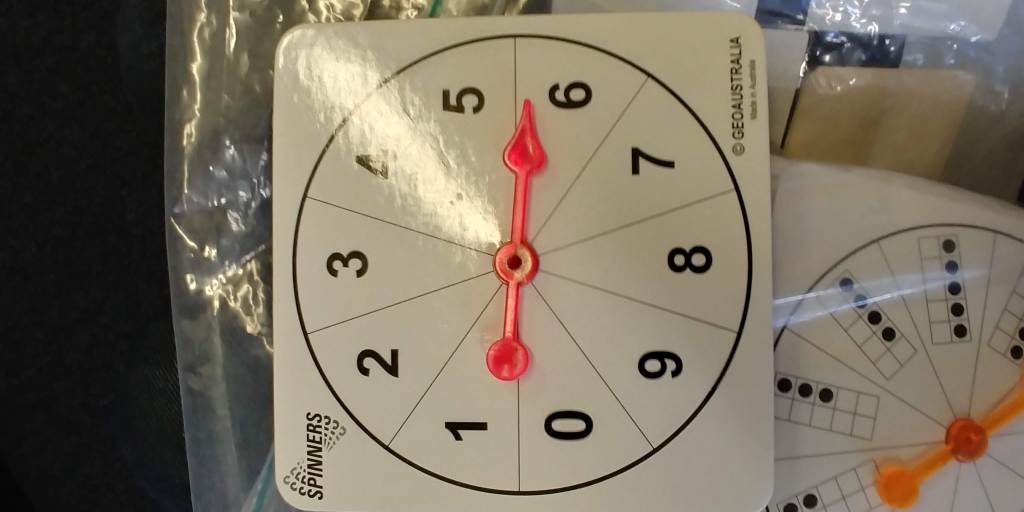
  • Requires dice with mixed numeral faces. In pairs, students take turns rolling 2 (or more) dice and record the sum on a sheet. The goal of the game is to get as close to a total of 10 (or 100) without going over.
  • The key focus of this activity is developing students’ skills in adding together mixed numerals. I think this would work well as an orientation activity.
  • It would require a lot of effort, but I think the dice with mixed numerals should be different to each other (to ensure there’s enough variety in the sums); you could also design ‘challenging’ dice that use uncommon denominators (e.g. 1 5/11).
  • If all the students use the same dice, it may be interesting to collect results from everybody and process the data via Excel.

BONUS TOOL: Roll The Dice

  • Roll the Dice allows you to virtually roll any regular dice (including d4, d6, d8, d10, d12 and d20), as well as browse any of the custom dice made by the RTD community (be careful about browsing the custom dice list in class).
  • You can also create your own custom dice that you can pair with activities or games that you have found or created for your students.
  • For example, in the Get to 10 (or 100) game, you can create custom dice with mixed numeral faces, such as the one I’ve made here.
  • I would recommend using improper fractions instead of mixed numerals as they are easier to read and require students to do extra processing; additionally, you’re not restricted to only 6 faces, you can add as many as you want.

BONUS ACTIVITY: How Close to 100? by YouCubed

  • A game similar to the one above; this one makes use of dice and arrays.
  • Students are given a pair of dice and a grid of 10 x 10 squares. In pairs, students take turns rolling the dice, then draw a rectangle using the numbers that come up as the dimensions.
  • For example, students who roll a 3 and 5 are instructed to draw a 3 x 5 rectangle in the grid, then afterwards record their results as a number sentence.
  • You could get students to keep a running total of the fraction of the grid their arrays have covered (requires basic summing).

Multiplying Fraction Array by John Ulbright

  • This GeoGebra file also makes use of an array approach to visually demonstrate how two fractions are multiplied together.
  • It works pretty well for simple fractions (small denominators), but becomes impractical to use for complex fractions.
  • More specifically, the grid doesn’t scale up when the denominators become large, so the grid lines increase in density (I would not use any denominators larger than 25).
  • The other included GeoGebra file works for mixed numerals, however I think this only works well with narration or teacher explanation to accompany each step.

Stage 4: Decimals

Fraction Decimal Percentages from NRICH

  • Basic game where students pair together the equivalent fractions, decimals or percentages.
  • There’s a tiny trick in the activity where students have to recognise the difference between recurring and terminating decimals, and how that connects to equivalent fractions and percentages.
  • This activity would also make a great orientation game, or something to do at the conclusion of a lesson.
  • Make sure you also give students the opportunity to create their own set of cards for their peers to solve (you could give them blank paper or small whiteboards to write on).

Decimal Ropes from Maths300 (requires login)

  • Another simple activity that includes students using pegs to (approximately) mark out decimals (e.g. tenths) on a length of rope, then folding the rope in different ways to create fractions.
  • For further details about the activity, visit the Maths300 website; there’s a whole lesson plan available using the rope, as well as computer simulations.
  • A key strength of this activity is its hands-on nature and its testing of students’ estimation skills (e.g. roughly how far along this rope is a quarter.

Place Your Orders from NRICH

  • Note: This is more of a transition activity rather than one solely focused on teaching about decimals.
  • This warm-up activity is intended to re-introduce students to different orders of magnitude and types of quantities, such as distance, time and speed.
  • What I like about this activity is that it requires students to use their estimation skills; if students don’t have a frame of reference for any of the options, then that creates an opportunity for the class to do experiments or research (or for the teacher to provide additional information).
  • Students could also be tasked with designing their own challenges (that students can feasibly estimate or otherwise research).

Woolworths Problem by Matthias Sender

  • This is included as an example of what I think should be used more often in Mathematics lessons: real-world examples with accompanying images of teachers (or others).
  • In this example, an individual wants to determine the cost of purchasing less than a kilogram of lemons, where the cost is $3 per kilogram.
  • What might be interesting: creating a video of yourself purchasing items (that are $x/kg) at a grocery store, and pausing the video before getting to self-checkout. Get students to work together in groups to determine the cost before playing the rest of the video.
  • You could also throw students off by adding last-minute items (like an additional fruit or vegetable), and get students to adapt their working out to accommodate the new item.

Stage 4: Percentages

Ordering Percentages by Stefan Sender

  • This activity requires simple setup: write down a series of fractions, decimals and percentages (between 0 and 1) on sticky notes or small pieces of paper.
  • Provide students with the set of numbers and instruct them to arrange them from smallest to largest (similar to a number line).
  • Use different coloured sticky notes to differentiate between fractions, decimals and percentages (e.g. red, orange and white as seen in the example).
  • Optionally, you could provide students with sticky notes for them to write equivalent fractions, decimals or percentages to ones that are already sorted (e.g. 0.8 and 0.80).

Real-World Examples collected by Stefan Sender (see below)

  • For this final section, I will be focusing on examples of percentages that can be found in the real-world or online.
  • This website contains examples of everyday percentages, including those about discounts, nutritional information and battery life.
  • Here are another set of statistics and infographics, many of which contain percentages that students can use for interpretation and processing.
  • Included on Sender’s website are examples of nutrition panels (Weet-Bix, Chicken Stock, Protein Powder), as well as statistics related to the environment and global energy usage.
  • Similar to what Sender has done, consider taking photographs of household products if they have percentages listed, and encourage your students to do the same.
  • Percentages can also be found in the Financial Mathematics substrand, for example: interest rates, profits, commissions and appreciation/depreciation.

BONUS: Choose Your Own Statistics by Splash ABC

  • This website allows you to view and create infographics of different statistics, such as demographics, life expectancy and weekly wages.
  • You could use this to create sets of information for students to interpret and process (combining the Percentages topic with Data Collection and Representation).

Printable Paper

TL;DR The post that no one wanted; it all goes downhill from here basically.


Context

Start – 11:40 PM

The review process for each website is taking longer than expected (the weather outside is also slightly scary NGL). So here’s a different type of post for today:

I will be going through Printable Paper to find paper templates that I think would be useful in the classroom (either Mathematics or Science), and will give a timestamp for each one that I write about. Here we go:


Printable Paper Template Notes

11:47 PM – Lined Paper College-Ruled on Letter-Sized Paper in Portrait Orientation

An absolute classic paper template. Useful for basic note-taking. Margins leave room for notes (or doodles). Students will most definitely have this type of paper available to them already, so it’s probably not necessary to include this as a template.

11:48 PM – Check Register

I could see this possibly being useful in lessons for Financial Mathematics. I would probably look for more authentic versions if possible (i.e. ones from an actual bank).

Another idea might be to set up fake stalls in the classroom and have students either run them or make purchases around the class. This can give students some experience in recording transactions down.

11:58 PM – Graph Paper with Three Lines per Inch on Letter-Sized Paper

Probably the most necessary paper template for Mathematics and Science. This template allows for (relatively) easy geometric constructions and Cartesian Plane drawings. Graph drawing is also made simple, especially in regards to plotting data points (just make sure to teach students how to decide on appropriate axes scales).

12:00 AM – Dot Paper with Four Dots per Inch on Letter-Sized Paper

Not quite as useful as isometric dot paper, but I suppose you could use this for geometric drawings. Harinder Mahajan suggests ways in which dot paper can be used to explore the following concepts:

  • Shapes (Triangles, Quadrilaterals)
  • Angles
  • Symmetry
  • Congruency
  • Transformations (Reflections, Translations, Rotations, Dilation)
  • Perimeter and Area

12:06 AM – Big Start Big End Comic Page

Hear me out on this one: I think comics are a great medium for students to convey their understanding whilst providing opportunities to express their creativity.

One way you could get students to use the comic template is to instruct them to pose a problem at the start (top left panel), then to show how someone might solve the problem using the remaining panels.

On a side tangent, here’s a link to comic strips featuring mathematics that you could inject into your PowerPoint slides at the start of your lessons. Here’s another one.

12:13 AM – Basketball Score Sheet

Whilst it would be fun to watch a full basketball game during class-time, it might be more practical to fill in the score sheet yourself out of class and bring a copy of the results to your next lesson to analyse with your students. There’s plenty of metrics to look at and compare between players. Check beforehand if your students like basketball though. It might be interesting for them if you (or a student) record the results of a game they played themselves, e.g. during Sport or PE.

12:24 AM – Monthly Budget

This budget template has basically everything you could ask for in terms of possible expenses. What’s also interesting is that it includes separate columns for PLAN, ACTUAL and DIFFERENCE.

What you could do is allocate the class a certain amount of money for a month (let’s say about $6000) and get students to decide where the money should go. The ensuing conversations would help students differentiate between the essential expenses from the optional expenses. It would also be interesting to see how well students estimate the costs for certain expenses, e.g. how much do a month’s worth of groceries cost? Students would need to pull from their experiences or do some research online to get appropriate estimates.

12:37 AM – Trigonometry Paper – 2 Quadrants & 4 Quadrants

These can be used with students when introducing trigonometric graphs for the first time. The radian intervals are marked out, although I’m not sure if they’re to scale. Ideally, you should teach students how to construct the graphs themselves so that they’re properly scaled (and not funky looking shape-wise).

12:40 AM – Semi-Log Paper With Linear Horizontal Axis and Logarithmic Vertical Axis (One Decade) on Letter-Sized Paper

This and other log graph paper, AFAIK, are not typically used in Mathematics. In Chemistry though, you might be able to get use out of this template for concentration graphs.

Even though you would never test students on using log paper, it might be cool to show them anyways and explain how they are used IRL. Here’s an example.

12:45 AM – Polar Graph Paper with 15 Degree Angles and 1-Inch Radials on Letter-Sized Paper

Polar graph paper is generally used for plotting polar coordinates (i.e. distance from the origin and angle counter-clockwise from the positive x-axis). Students will probably not see polar coordinates unless they study Complex Numbers (at least in the NSW Mathematics Syllabus).

12:52 AM – Compass Directions

Honestly, this is not that great considering the numerical bearings are not displayed. You could get students to write on top of this template, then proceed with teaching about bearings. I’m not too sure how useful the graduation marks are either.

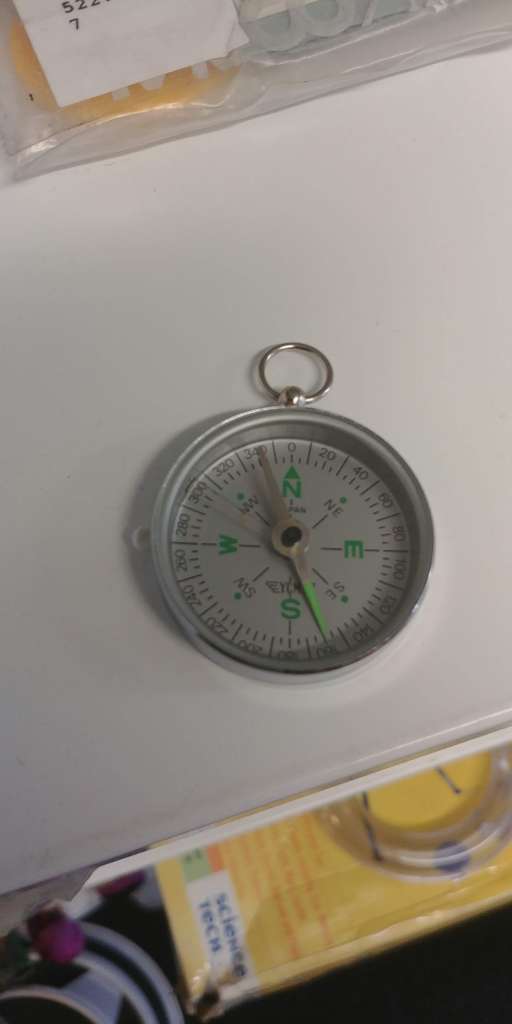
Another side tangent: it would be interesting to try out giving students actual compasses, and positioning them around the playground and measuring bearings to each other. It would require some careful measuring, but I think it could be a fun activity.

1:02 AM – Distance Grid

This template seems pretty cool. Basically, you write down a list of locations vertically and horizontally, and use the grid to note down the distance between them. This would be particularly useful in topics like Networks.

You could also use the template to record wins and losses between students, and tally up the end results to see who comes out on top as the overall winner (e.g. in a competition of predicting Heads vs Tails).

1:10 AM – Number Line – Vertical

This template provides 5 number lines going from 10 to -10. Personally, I would have preferred them to be in landscape mode, but the vertical-ness could be useful for simulating thermometer readings. I would probably cut these into five pieces.

One game you could play with students is to get them to guess the number you’re thinking of. You’d need to provide them increasingly difficult hints, like this number and -8 give an average of -2, or the distance between this number and 4 is the same as the distance between -2 and -6.

1:19 AM – Isometric Dot Paper – Fine

Similarly to the dot paper template, this template lends itself towards geometric constructions. In particular, isometric dots allow for 3D solid drawings. The dots can then be counted for measuring distance.

Give students a chance to make drawings in class using the isometric dot paper. They could be tasked with drawing isometric projections of objects, like boxes or cameras, or buildings to a particular scale.

1:26 AM – Raffle Tickets

Not too many uses in either Mathematics or Science. You could use these as a prop or gimmick when discussing the cost of carnival ride tickets or admission fees to attractions. The template also doesn’t seem easy to cut out.

1:29 AM – Axis Graph Paper 0.5 Inch

A simple Cartesian Plane template, with no numbers on the axes. I would take the axes labels as merely suggestions, and allow students to flip the paper either vertically or horizontally depending on the type of graph being drawn.

1:32 AM – Calendar – Yearly

Started to scrape the bottom of the barrel here.

I don’t think this template would be the most practical for classroom use. I just wanted to use this as an opportunity to encourage you to bring in physical calendars into the classroom for students to play around with. They could be used to provoke discussion about different kinds of calendars (including the Lunar Calendar). You could also use the calendars to teach about time intervals, such as weeks, fortnights, months, and so on.

1:38 AM – BONUS: Printable Games

The Battleship Game probably has the most tangible usefulness in terms of Mathematics, specifically coordinate geometry. See here for a version with instructions.

There’s also some origami designs you could get students to create during class. Robert Lang demonstrates how mathematics can be used to create complex origami designs. Here’s another article you may be interested in by Thomas Hull regarding the mathematics of paper folding and its real-world applications.


Additional Stuff (1:55 AM)

I couldn’t find it on the website, but another paper template worth considering are the nets of 3D solids, such as cubes and triangular pyramids. These are always fun to bring out in class and get students to create the solids and decorate them with coloured pencils or markers. You can then hang the finished products up in the classroom as decorations.

Another template worth considering is one of an analogue clock. Ideally, you should find one that comes with minute and hour hands that are attachable and movable. Alternatively, you could just take the clock down from the classroom wall, play around with changing the clock time and getting students to read off the time using proper terminology.

Addition and multiplication grids are common on the back of Mathematics workbooks, so I didn’t bother to include them here (they don’t seem to be available on the Printable Paper website either).

Circle templates could be useful for simple pie chart constructions, although it might be better to just teach students how to use compass-and-straight-edge. Similarly, rectangle templates could be used for creating divided bar charts, but they can also be created using a ruler.

Personally, I think the most interesting templates were the highly specific ones, such as the Basketball Score Sheet and the Monthly Budget. Before using these, I would advise you to consider whether it’s important that students are able to construct these tables or sheets on their own rather than relying on a template. If so, give them opportunities to construct their own version of the sheet, rather than relying on the templates.


Conclusion (2:10 AM)

To be honest, I don’t think anything useful was achieved here. If I come up with new ideas for how to use the different templates above, I’ll make sure to write an update about it. Other than that, I hope that you’ll start making use of some of the paper templates available on Printable Paper.

In a future post, I will (attempt) to discuss some possible uses of common objects around the household as examples for Mathematics or Science problems (think magazines, receipts or recipes). I’ll also (probably) get back to doing resource reviews from the EDSE3063 Unit of Works later today.

End – 2:25 AM


Ideas Regarding Response Cards

TL;DR Below are some of my thoughts about possible response card designs and applications


Initial Thoughts

To summarise, response cards (RC) are small, paper or cardboard-based tools that students can use in the classroom to share their response to a question, usually of a multiple choice or true/false format. They’re a step above the traditional hands-up approach to student participation (to which generally only a few students respond), and on a similar level to digital quizzing tools such as Socrative or Kahoot.

I view RC as having two key educational purposes: increasing student participation and engagement; and quick formative assessment of student understanding.

The cards themselves are relatively easy to use and require no student setup or Internet access. What I’m most interested in and want to focus on in this post are all of the different design and usage possibilities. The ways in which RC are created can influence their durability, usability and functionality.

In terms of durability, I would strongly suggest using cardboard or index cards as the base materials (coloured preferable), and laminating them to further strengthen them. Usability wise, I would advise that they remain small and easily held in one hand. Students responses are usually indicated using a pinch-method (students use two fingers to pinch the option they want to select) or some other external tool like a clothespin. For long-term use, it may also be worth bundling different types of response cards together using string or clips.

With all that said, let’s explore a few different question types and possible design choices for RC (see QuestionPro for an extensive rundown of question types).


Question Type 1: Yes/No

Also known as dichotomous questions, this question type is one of the most basic forms students will encounter in the classroom. I will also include True/False here for simplicity.

For these kinds of questions, it’s almost unnecessary to use response cards (you could use thumbs up/down for example). I suggest using more complicated RC designs (such as those for multiple choice) and making two of the options Yes and No when necessary. Nonetheless, below is a possible design suggestion if you want an RC dedicated for Yes/No.

Perhaps what you could do is have a long card strip, where the card transitions from green on one end, to yellow in the middle, then red at the other end.

Design: Colour Gradient, Green to Red

Note that this is different to an RC that was split 50/50 green and red. If you want to go with this simple design choice, I would recommend making one side of an RC green, and the other red (this is what I have personally used in the classroom to mixed success).

The design above can be made simpler (and more practical) by having discrete colour changes (green, lime, yellow, orange, and red fifths).

Design: Discrete Colours

My intention with this design is to suggest that rather than having a binary Yes/No RC, you can have a card that allows students to convey their level of confidence in a particular answer.

For example, students who are not 100% confident in answering yes may pinch the lime part of the RC rather than the green end of the RC. Students who are unsure either way can pinch the yellow middle of the RC.

This design can also be used after an explanation to determine students’ level of understanding (green for confident, yellow for unsure, red for “I need help!”).


Question Type 2: Multiple Choice

Multiple choice questions are a staple of classroom tests and quizzes. The questions themselves may contain one or more correct answers, but usually there are four to five options available. For practicality, I will consider RC with four options.

There are a couple of common designs available that allow for multiple choice responses. In each of them, I would advise that different colours be used for each option so that students and the teacher have an easier time identifying which option is which.

The first design is to split a long card strip into 4 sections, then label each section A, B, C and D.

Design 1: Long Card Strip

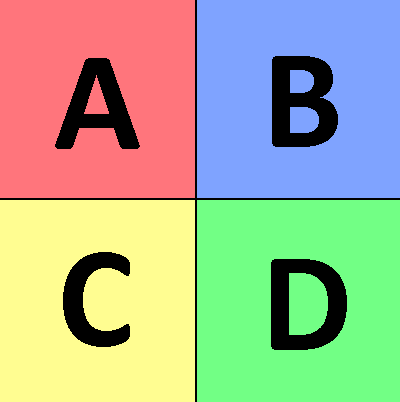
The second design would be to use a squarish card piece and to split it four corners, then labelling appropriately. I prefer to use the first design, as they are slightly easier to handle.

Design 2: Four Corners

It’s a good idea to ensure that the RC is double-sided, with the back side matching the front. This allows students to see what part of the card they are pinching as they are holding them up for the teacher.

The colours can also be varied, e.g. Red – Orange – Yellow – Green, to have a confidence meter similar to the one discussed in Question Type 1.


Question Type 3: Rank Order

From what I have seen online, the first two question types that I have presented are the most common formats in which RC are used for. I believe this is partly the case because they are simple for students to use and easy for the teacher to interpret. I am still considering whether the next couple designs would be practical for the classroom, but I will share them anyways.

Rank Order questions require students to rearrange a series of options into a specific order. This could be done to express preference, or for sequencing purposes (e.g. ascending or descending order, chronological order).

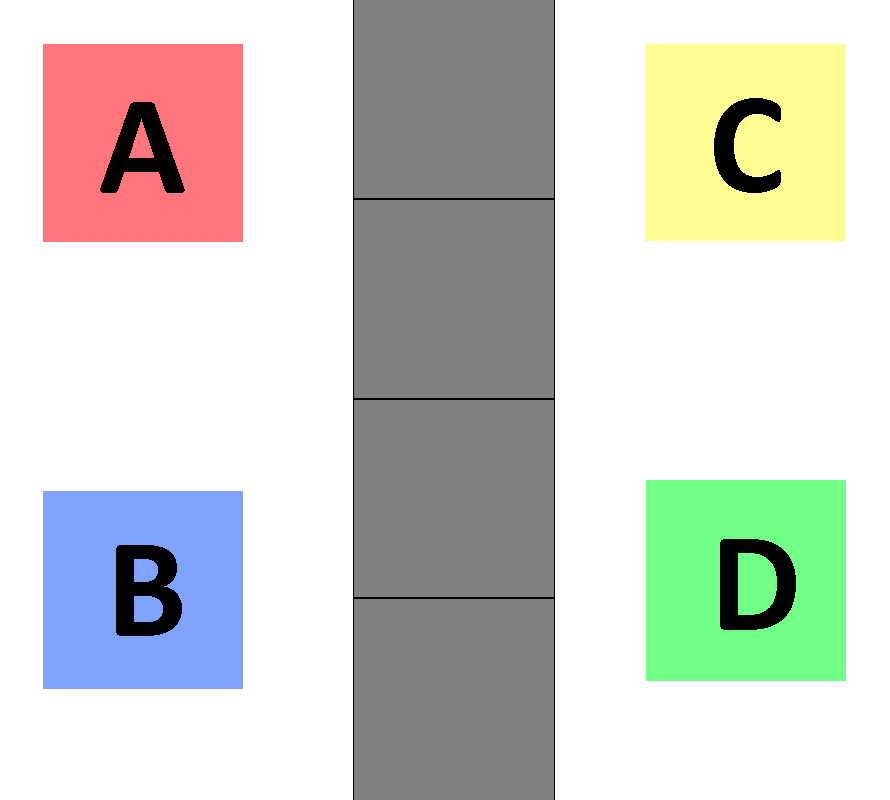
I propose the following design: have a blank card strip, and four separated cards. From this, the cards can be attached to the card strip (in any order) using either Blu-Tac or Velcro, or by having card sleeves that the small cards can be inserted into.

Design: Rank Order RC

For broader application, I would suggest having A, B, C and D (or 1, 2, 3 and 4) cards rather than specific answers. A whiteboard or projector can then be used to display what answers each option corresponds with.

Additionally, depending on the question asked, consideration should be given towards whether the RC should be held vertically or horizontally. I believe that vertically works better for ranking or ascending/descending order, while horizontally works for sequencing (feel free to experiment with this).

These would be more difficult to prepare and use, but would also open up more possibilities in terms of the types of questions you can ask. For example, you could provide students with 4 organisms that they have to rearrange into a food chain (from producer to apex predator).


Question Type 4: Constant Sum

Constant Sum type questions would be best explained with an example:

Imagine a student has a $100 budget to spend on Bills (e.g. groceries), Entertainment (e.g. movies, sports) and Other Expenses (e.g. shopping) for the month.

Students are asked to allocate a proportion of their $100 to each category.

For example, a student might choose to dedicate $50 on Bills, $20 on Entertainment, and $30 on Other Expenses.

In terms of RC, I propose that these types of questions can be answered using a simple RC and some form of indicators. These could include small rubber bands, string, paper clips or dry erase markers (if the RC is laminated). Given a constant sum value, students would divide their RC using the indicator, similar to a divided bar chart.

Design: RC with % marked

Using the example above, the student could wrap a rubber band around the 50, then one at about 70. This would divide the card into 3 sections, where Bills takes up half the RC, Entertainment is allocated 20% of the card, and Other Expenses are represented using the remaining 30% of the card.

I think that these would be very difficult to effectively implement in the classroom, especially in terms of interpreting each student’s response, but I think it is still worth exploring. If not as a RC, then as an alternate way to create divided bar charts.


Additional Stuff

  1. If same-sidedness back-to-front is not desired, you can combine different RC designs onto one card strip. For example, on one side of a long card strip you can have multiple choice options, with the separation between markers representing the quartiles. The colour of each section can also double up as a confidence meter (e.g. red for 100% confident to yellow for 0% confident). On the other side of the long card strip, you can have Velcro for students to stick small cards onto for ranking questions.
  2. Rating Scale responses can be obtained using either the colour gradient RC (seen in Question Type 1) or the long card strip design (seen in Question Type 2).
  3. If the finiteness of resources does not concern you, I would also consider the possibility of printing out images. For example, you could have a blank squarish RC design with space to stick small cards on (e.g. 9 cards). Combined with a set of cards (e.g. elements of the Periodic table), this could be used to ask simple questions in Chemistry, such as which of the elements are non-metals, or which of them are gases at room temperature.

    This kind of application would go against the RC design principle that they should be quick to use and easy to interpret, but would be interesting. Perhaps apply this in table group settings rather than individual-based, and include opportunities to allow groups to explain their responses in a classroom discussion setting.
  4. An alternate RC design could involve the separation of the available options into individual cards (e.g. one card for A, another for B, and so on). This may be easier to use, but would require more resources and time to create for minimal gains in readability.

Final Thoughts

When it comes to the design of RC, it’s important to consider their functionality both for students and the teacher. For students, the RC should not be so complicated that they cannot quickly or easily use them to share their response. The teacher should also be able to easily gauge student understanding by glancing around the classroom at students’ responses. Ideally, the teacher shouldn’t have to spend more than a couple seconds trying to interpret what response students have given.

I personally believe that RC are useful as participation and formative assessment tools, but are limited in the kinds of responses you can obtain from students. If you wish to get a wider range of answers, or more individualised responses, I would suggest using mini-whiteboards. They’re a bit more costly in terms of resources (and can be more painful to clean up and pack away), but they create more opportunities for students to express their creativity and thought processes when responding to questions, compared to using RC.


I’ll be posting the next set of resources that I thought were interesting soon. Currently, I am in the process of collecting and reviewing resources from different sub-strands.

Design a site like this with WordPress.com
Get started